No renaming or moving your folders. The default sorting in Finder and File Explorer stays unchanged.
Right-click a folder
Select the folder or file you want to browse.
Choose “Sort by reading”
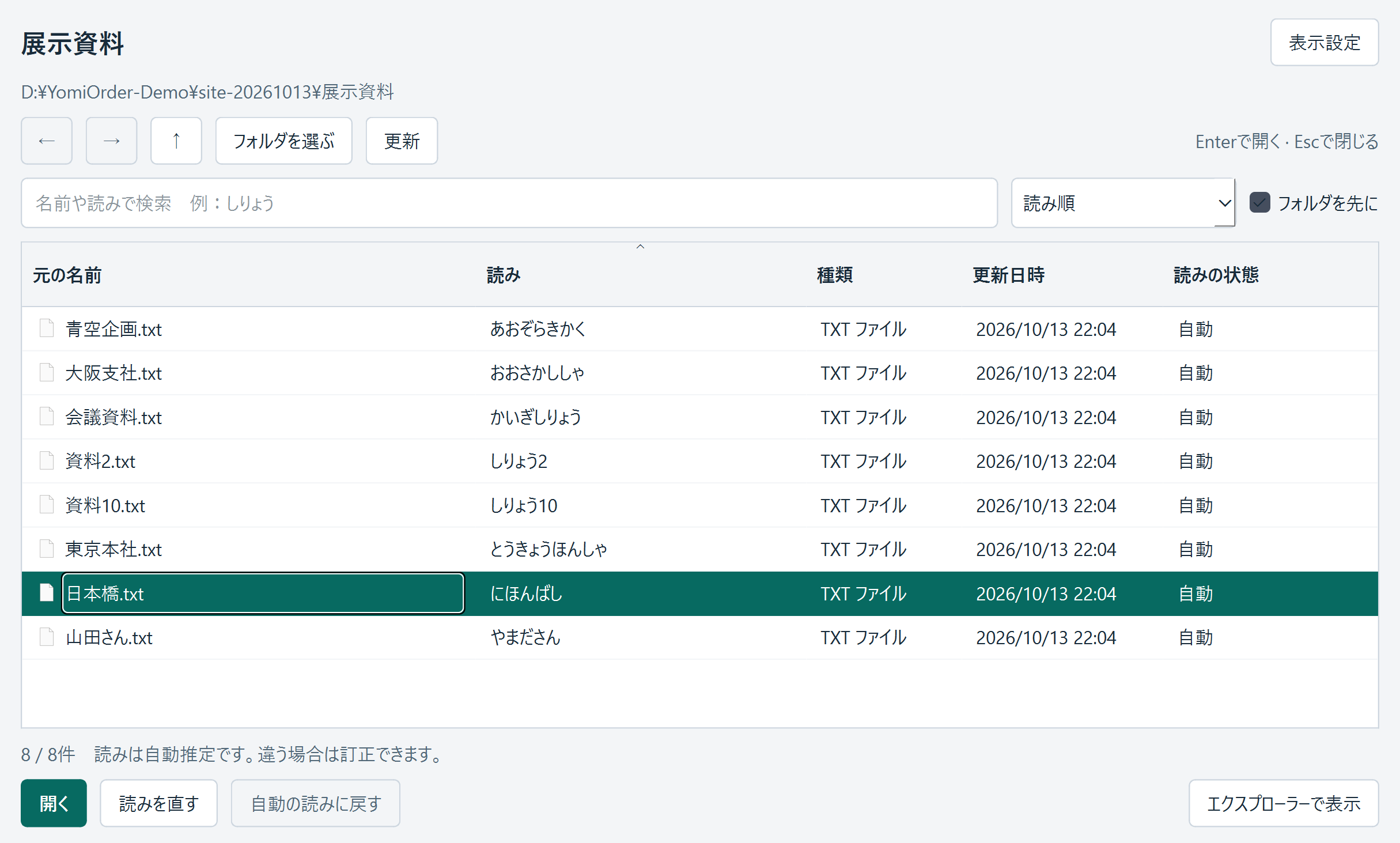
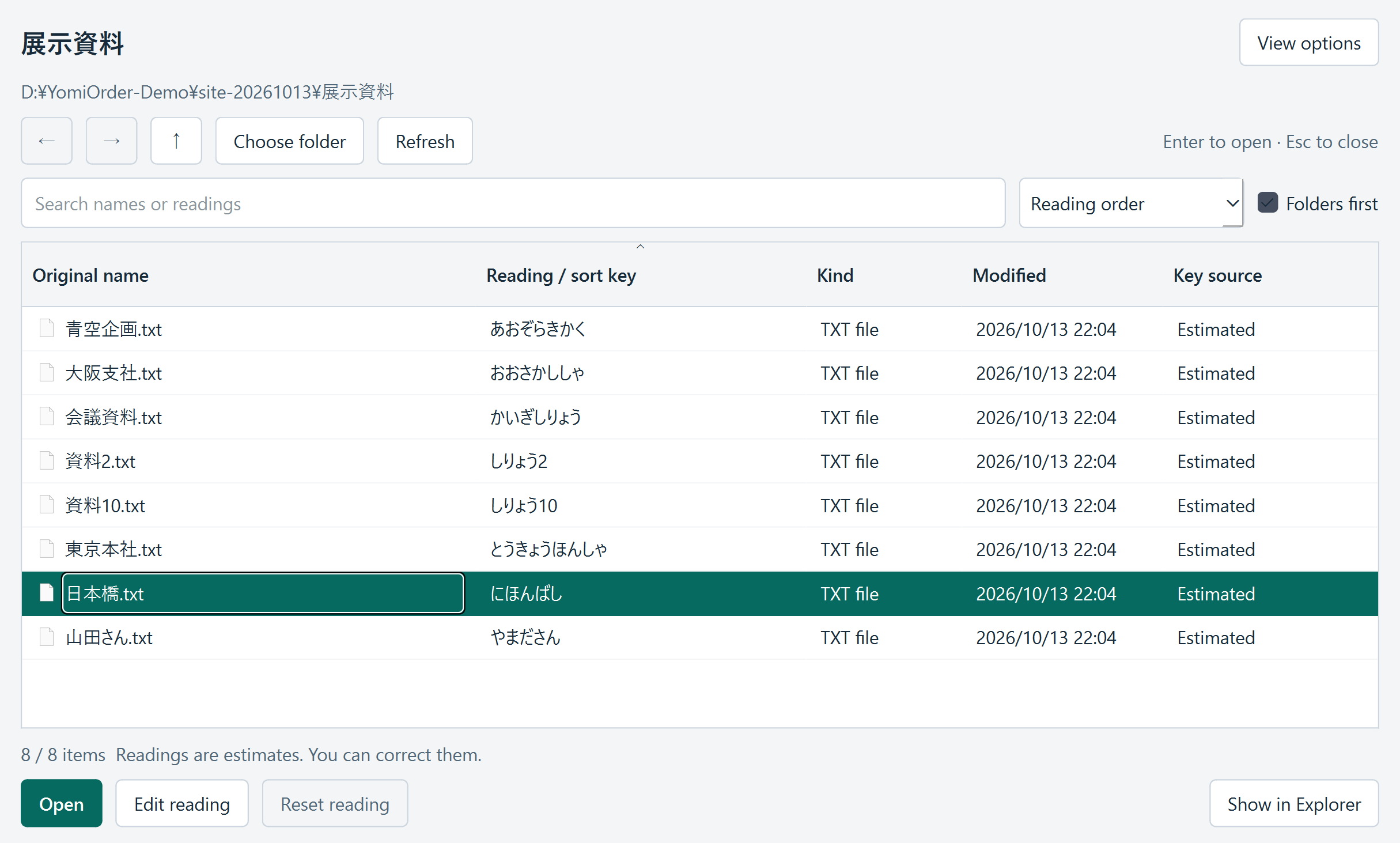
A dedicated list opens with original names beside their readings.
Find it and open it
Search by name or reading, select a file, then choose Open to use its usual application.
The current Windows version uses Show more options → Sort by reading. On Mac, use Finder's Quick Actions or Services → Sort by reading. Menu placement depends on OS and configuration.
CORRECT THE READING, NOT THE FILE NAME
One name. More than one reading.
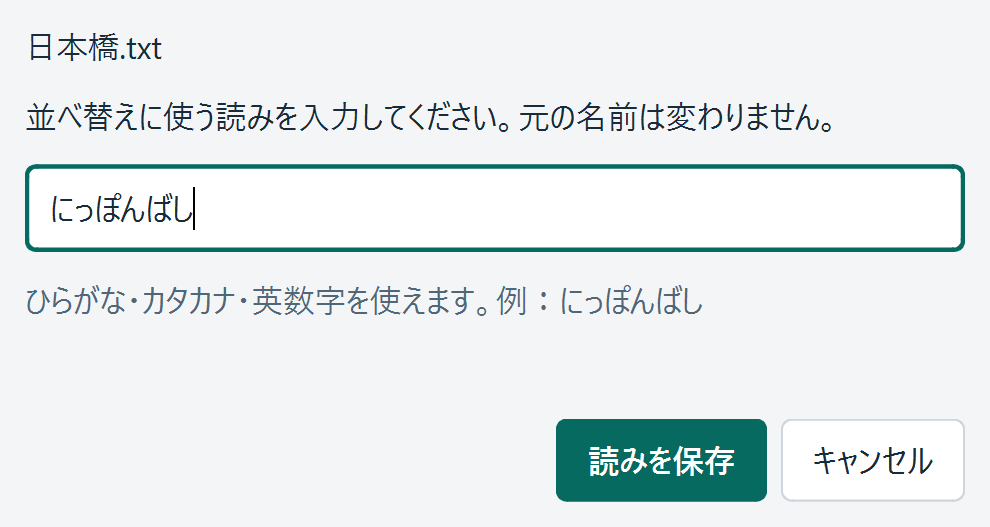
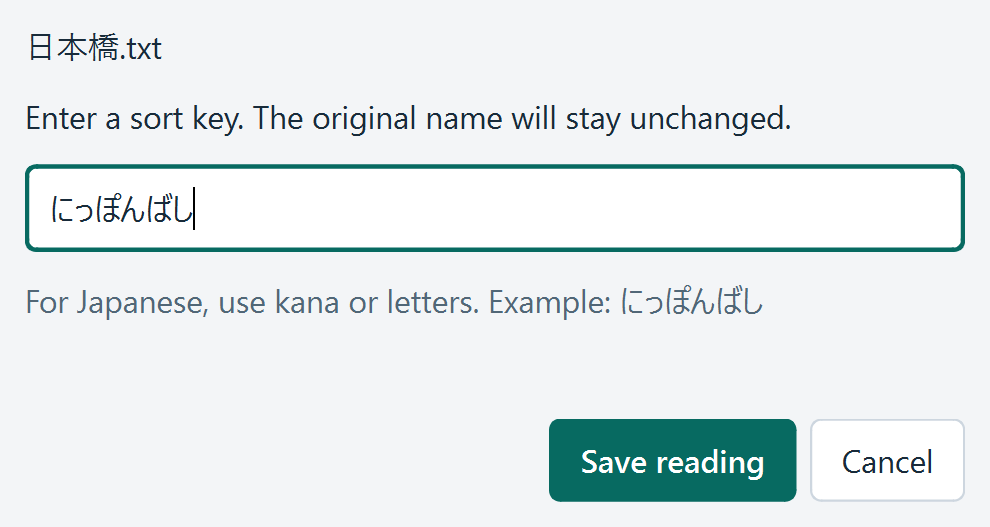
“日本橋” can be read differently in different places. When a proper name needs a correction, double-click its reading or choose Edit reading.
Keep the original. File names are not rewritten.
Save corrections locally. Readings are stored separately from your folder.
Search either way. Find files by their name or their reading.
Actual app with a synthetic file. Readings are estimates; check proper names.
COMPATIBILITY
For your everyday computer.
Other platforms are not verified. Detailed OS requirements and distribution methods will be confirmed before launch.
Windows
x64 is the target. Windows ARM is unverified.
Mac
Apple silicon is the target. Intel Macs are unverified.
Interface languages
Japanese and English.
Sorting methods
35 sorting profiles. This does not mean 35 translated interfaces.
Preparing for launch · Draft sales terms
A small tool. A one-time purchase.
¥1,200Proposed, including tax
A one-time purchase for one person's work. A subscription is not planned.
Purchases and downloads are not yet available. No payment or charge takes place on this page.
Proposed license terms
One user, up to two computers in total across Windows and Mac. Business use is included in the proposal.
Up to 30 days of offline use after license verification is planned.
Refund requests within 14 days of purchase will be reviewed individually. Approval is not guaranteed for every request.
Your statutory consumer rights are not limited.
Price, device limits, activation and refund terms are not final. Checkout will stay closed until the final sales terms are available.
Does it change the order in Finder or File Explorer?
No. YomiOrder shows its own list in a separate window. Your original names and folder structure stay unchanged.
Are automatic readings always correct?
No. People, places and abbreviations may be misread. Review the reading and correct it when needed.
Is the interface translated into 35 languages?
No. The interface is Japanese and English. The 35 profiles define reading or collation methods, not translated interfaces.
Are my file names sent to a server?
Reading and file-list processing take place on your computer. The planned license service uses purchase and device identifiers, not file names or file contents. Final details will be reflected in the privacy policy before paid distribution.